Studio-quality
passport photos,
from your phone.
Take compliant US passport, visa, and DMV photos at home. Auto-align, background removal, and instant compliance checks. No studio visit needed.
Passport photo in
4 simple steps.
Take a Photo
Use your phone camera or upload an existing photo. No special equipment or lighting setup required.
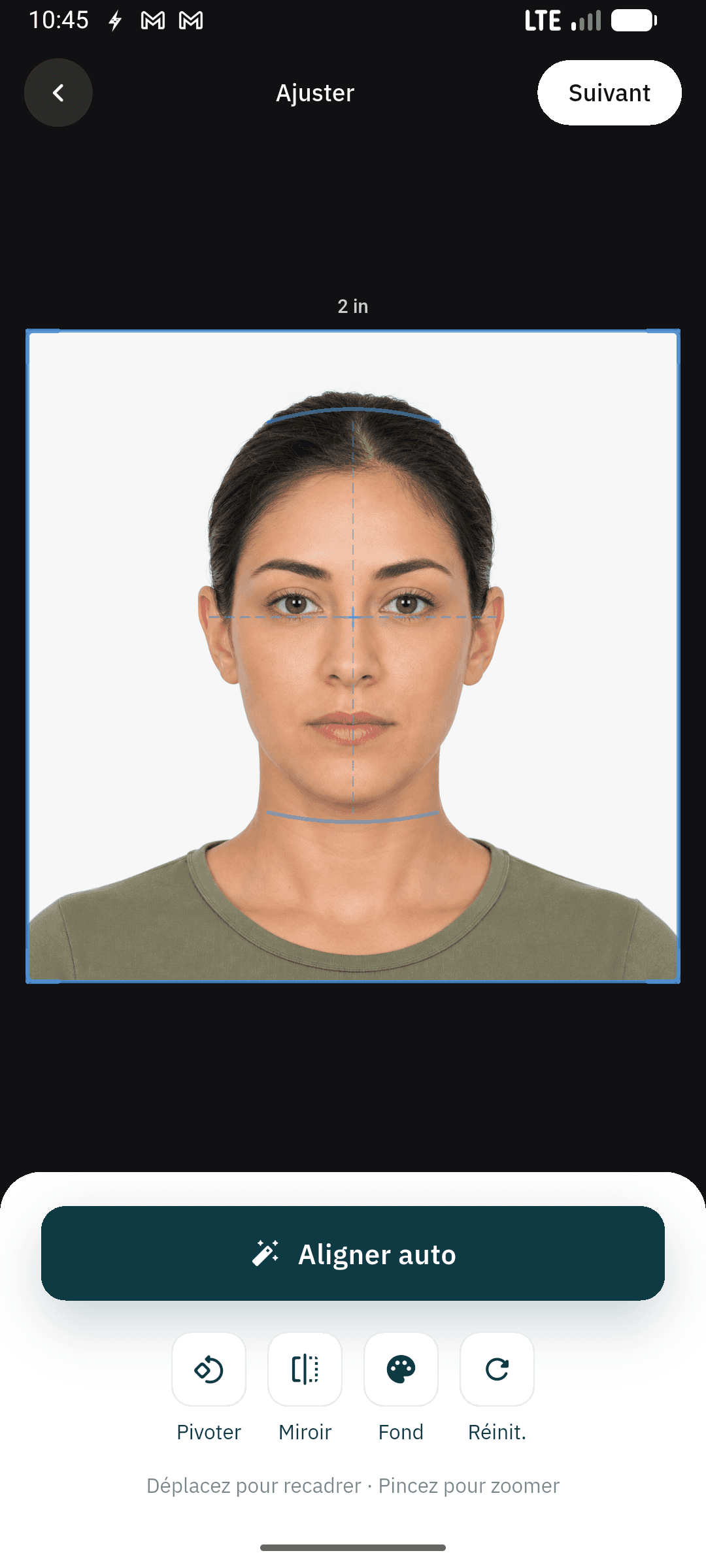
Auto-Align & Adjust
AI positions your face, adjusts the crop, and removes the background to meet US State Department specifications.
Pass Compliance Checks
Real-time checks verify head size, eye position, lighting, expression, and background color against official rules.
Export & Save
Save your compliant photo as a high-resolution digital file. Ready for online submissions or to take to any photo printing service.
Everything you need.
Nothing you don't.
Auto Align & Crop
AI detects your face and positions it to meet US State Department specifications. Perfect framing, every time.
Background Removal
Instantly remove and replace your background with white or any compliant color. No green screen needed.
Compliance Checks
Real-time verification against official requirements. Head size, eye position, lighting, and expression.
Instant Digital Export
Export your compliant photo as a high-resolution digital file. Save to your gallery or share directly from the app.
All Document Types
US Passport, visa, DMV ID, and more. Correct dimensions and requirements applied automatically.
Private & Secure
Photos are processed on your device. Nothing uploaded to servers. Your photos stay yours.
Simple, transparent pricing.
Start free. Upgrade when you need more power.
Perfect for a single passport photo.
- Single photo export
- 300 DPI standard quality
- Auto-align & background removal
- Compliance checks
- Ad-supported exports
$0.83/month. Cancel anytime.
- Unlimited exports, no ads
- Multiple photo layouts (2, 4, 6)
- HD 600 DPI exports
- All document types
- Cloud backup on all devices
Frequently asked questions.
A US passport photo must be exactly 2x2 inches (51x51 mm). The head must be between 1 inch and 1-3/8 inches (25-35 mm) from the bottom of the chin to the top of the head. Our app automatically crops and sizes your photo to meet these exact specifications.
Our app follows the official US Department of State photo requirements including correct dimensions, head size, eye position, background color, and lighting. While we cannot guarantee acceptance (final approval is at the discretion of the reviewing agency), our compliance checks cover all published requirements.
Yes. Modern smartphone cameras are more than sufficient for passport photos. Our app guides you through the process — just find a well-lit spot with a plain white or off-white background, and the app handles alignment, cropping, and compliance checks automatically.
No. All photo processing happens entirely on your device. We never upload, store, or transmit your photos to any server. Your photos stay on your phone until you choose to share or export them.
The app supports US Passport photos, US Visa photos, DMV/state ID photos, and more. Each document type has its own size and compliance requirements, which are applied automatically when you select the document type.
The app exports your compliant photo as a high-resolution digital file saved directly to your phone's gallery. You can use this file for online passport or visa applications, or take it to any local photo printing service if you need a physical copy.
Yes, the app is free to download and use. The free tier includes single photo exports with auto-align, background removal, and compliance checks. The Pro plan ($9.99/year) adds unlimited exports, HD 600 DPI quality, multiple photo layouts, and removes ads.
US passport photos require a plain white or off-white background. Our app includes automatic background removal — it detects and replaces your background with a compliant white background, so you don't need a photo studio or green screen.
Ready to take your
passport photo?
Snap a photo and get a compliant passport photo in under 2 minutes. No appointments, no waiting. Available now on iOS.
Free to use. No account required.